Matdo Check
Simple. Reliable. Easy setup.
The calm way to check attendees in and out — for tutoring and enrichment centers, Sunday schools, clubs, and camps. On the iPad or iPhone you already have.
Matdo Check at a Glance.
Follow a day at your center, from the first check-in to the monthly spreadsheet. Real screens from version 1.3, on iPad and iPhone.
Watch Video Tutorials
Step 1 of 6
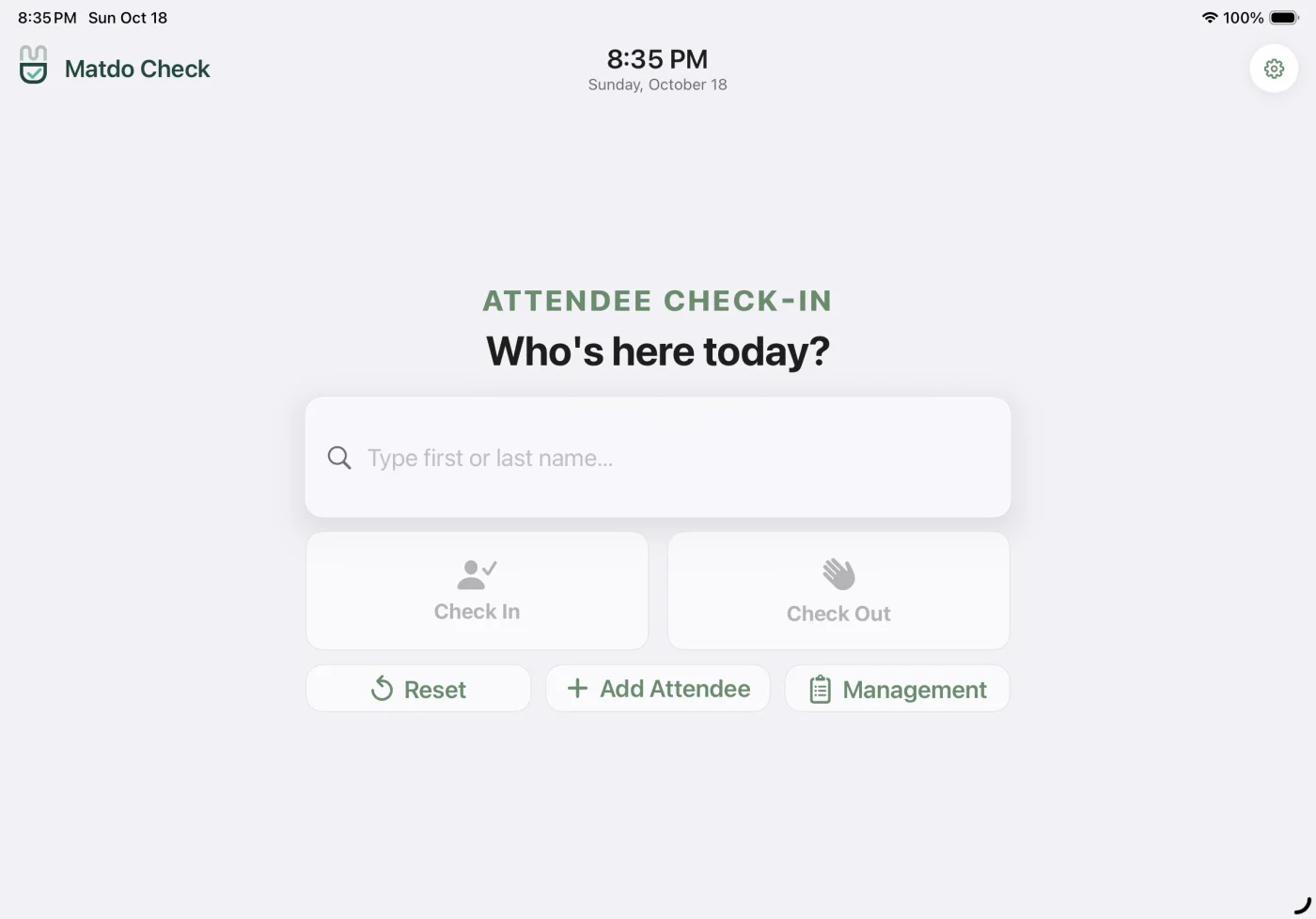
Students check themselves in.
The device on your counter becomes the kiosk. No accounts, no passwords, and it keeps working when the Wi-Fi doesn't.
- Type a name First or last name. The match appears as they type.
- Tap Check In Check In on arrival, Check Out to leave, with a full-screen welcome.
- A live clock Always in your center's own timezone.
- Management The instructor panel, behind a six-digit PIN.
Watch Video Tutorials
Step 2 of 6
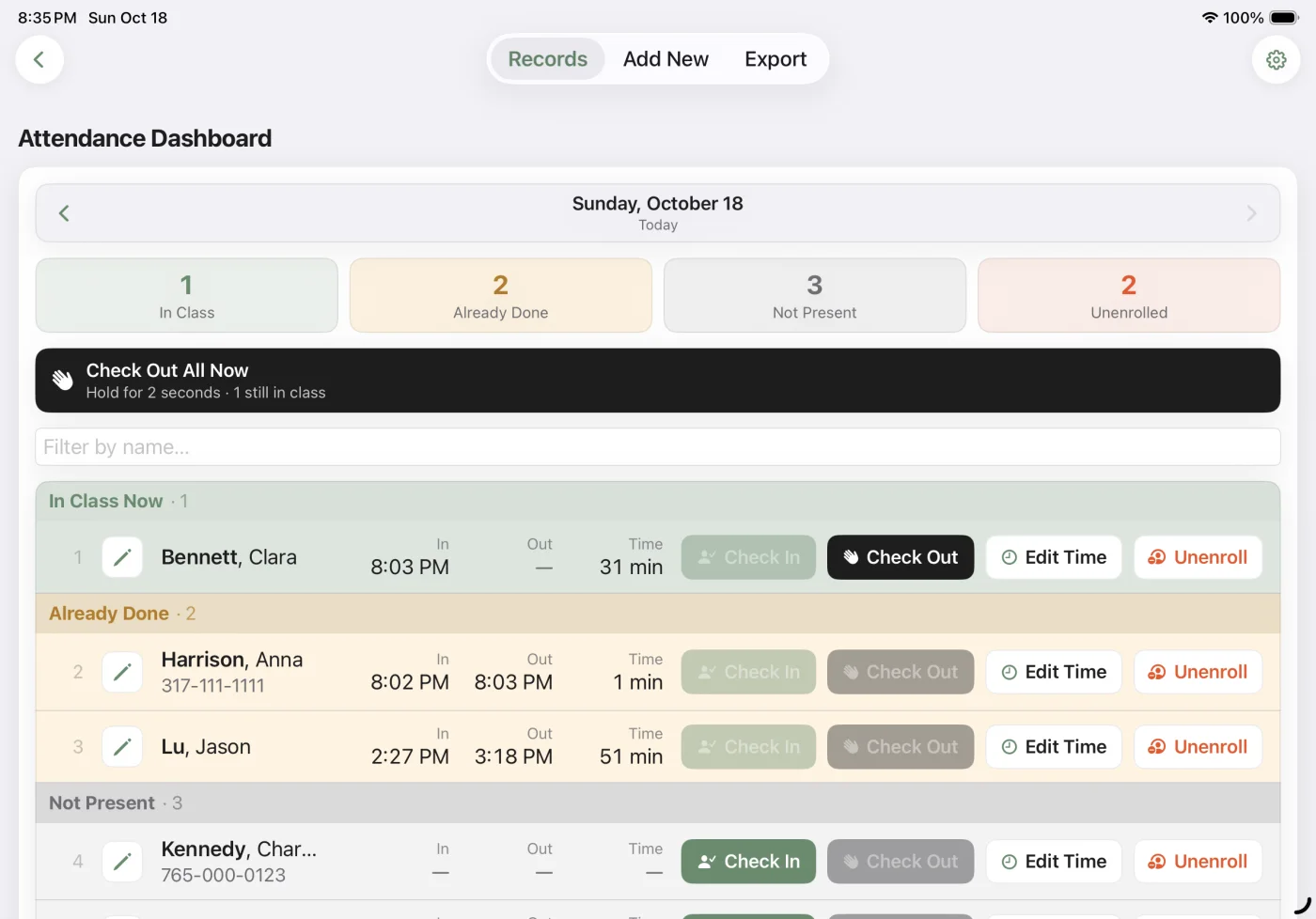
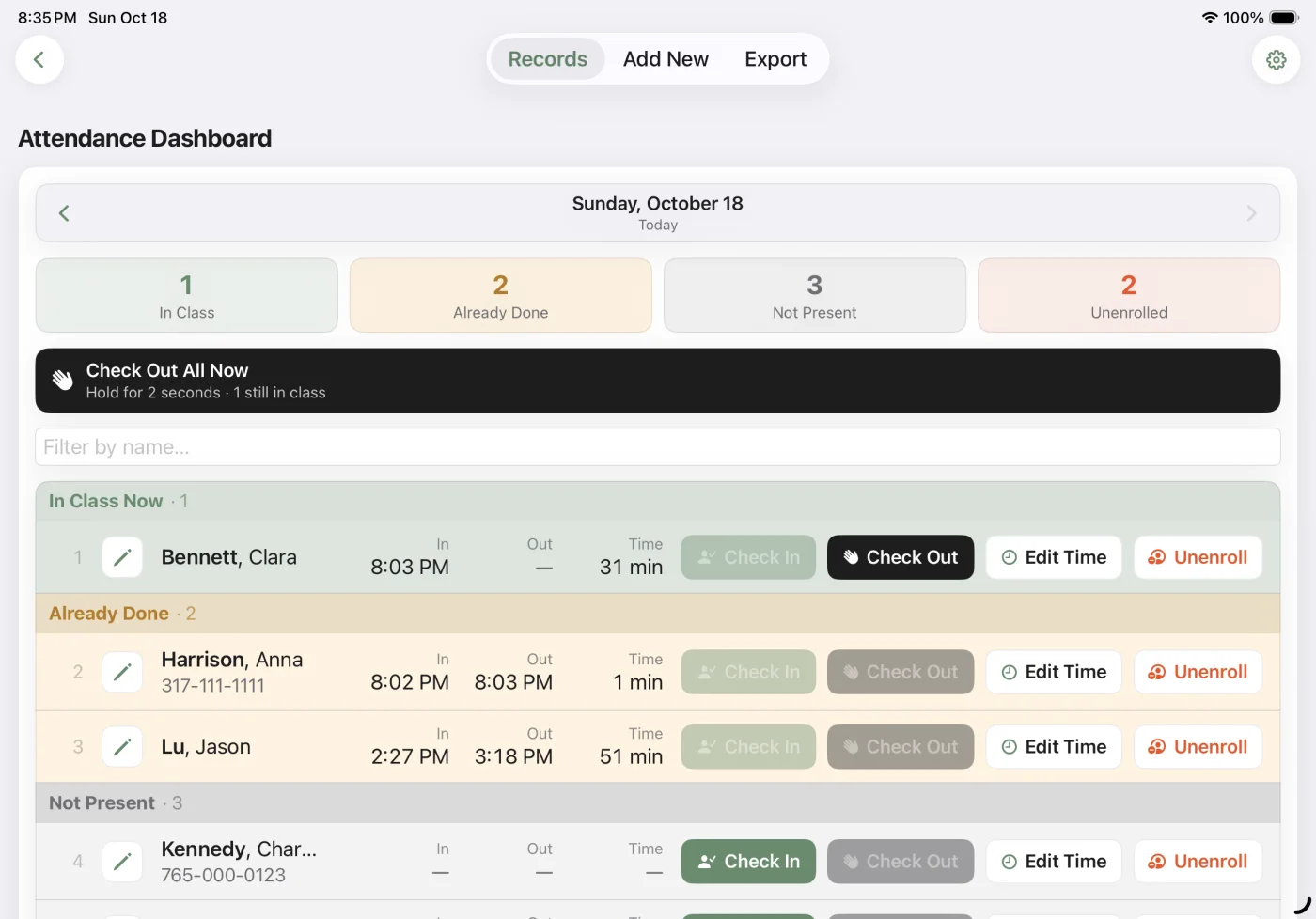
See who's in class, and for how long.
Records is the live dashboard behind the PIN. Every arrival and departure lands here the moment it happens.
- The day in four numbers In class now, already done, not present, unenrolled.
- Time in class Red when someone has stayed too long, amber when a visit ended too soon.
- One-tap check-in and out For the student who forgot to stop at the kiosk.
- Close up for the day Hold for two seconds to check everyone still here out.
- Any day, not just today Step back through earlier dates.
Watch Video Tutorials
Step 3 of 6
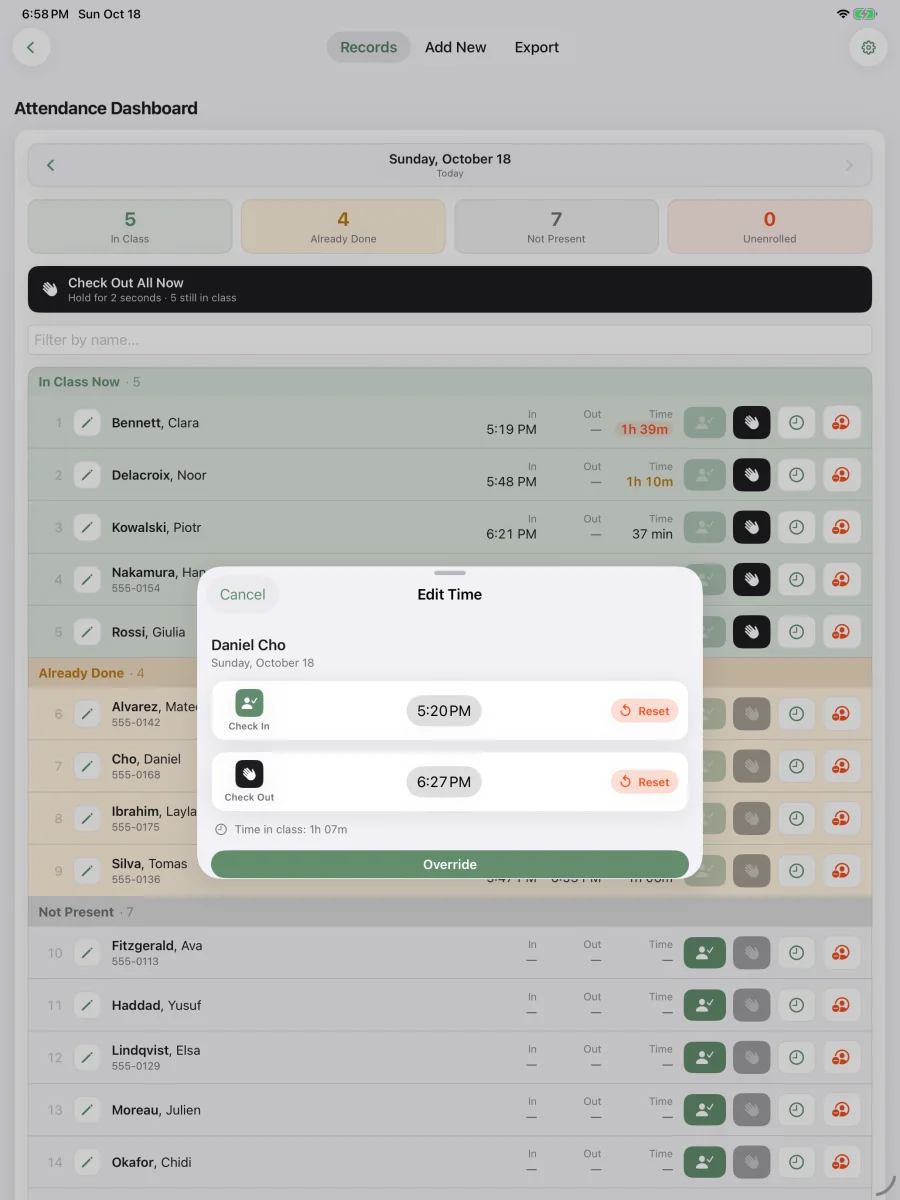
Correct a time in one tap.
Someone forgot to check out? Tap Edit Time on their row. The check-in and the check-out each get their own card.
- Change a time Tap the check-in or check-out time and pick the right one.
- Reset Clear a time that shouldn't be there.
- Override Saves in one tap, with the old and new times written to a read-only change log.
Watch Video Tutorials
Step 4 of 6
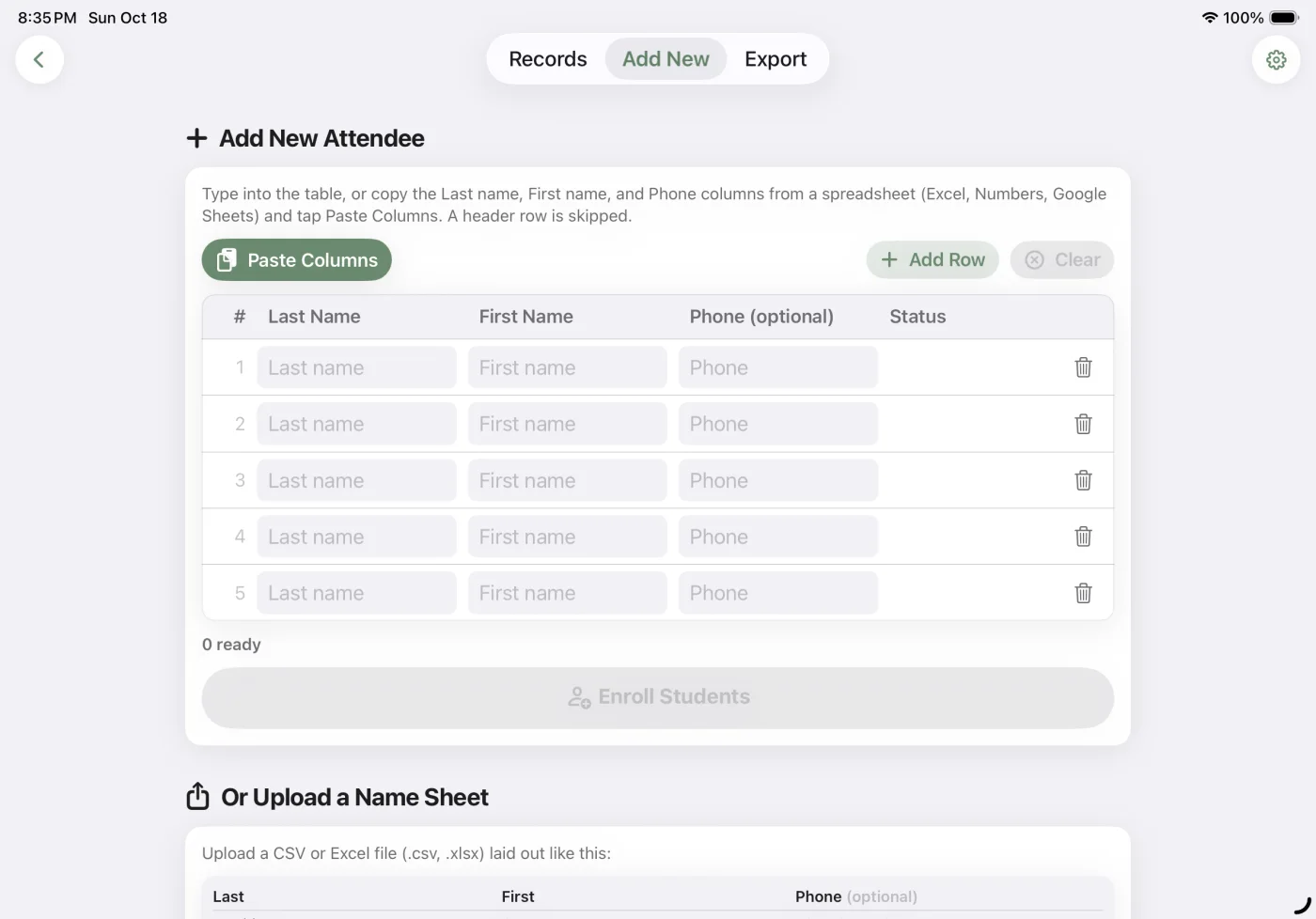
Bring your roster in.
Type names, paste them from the spreadsheet you already keep, or import the file. Enroll and unenroll without losing anyone's history, and remove someone for good while keeping their past attendance.
- Paste Columns Straight from Excel, Numbers or Google Sheets. A header row is skipped.
- Or type them in Last name, first name, and a phone if you want one.
- Or upload a name sheet A .csv or .xlsx file.
Watch Video Tutorials
Step 5 of 6
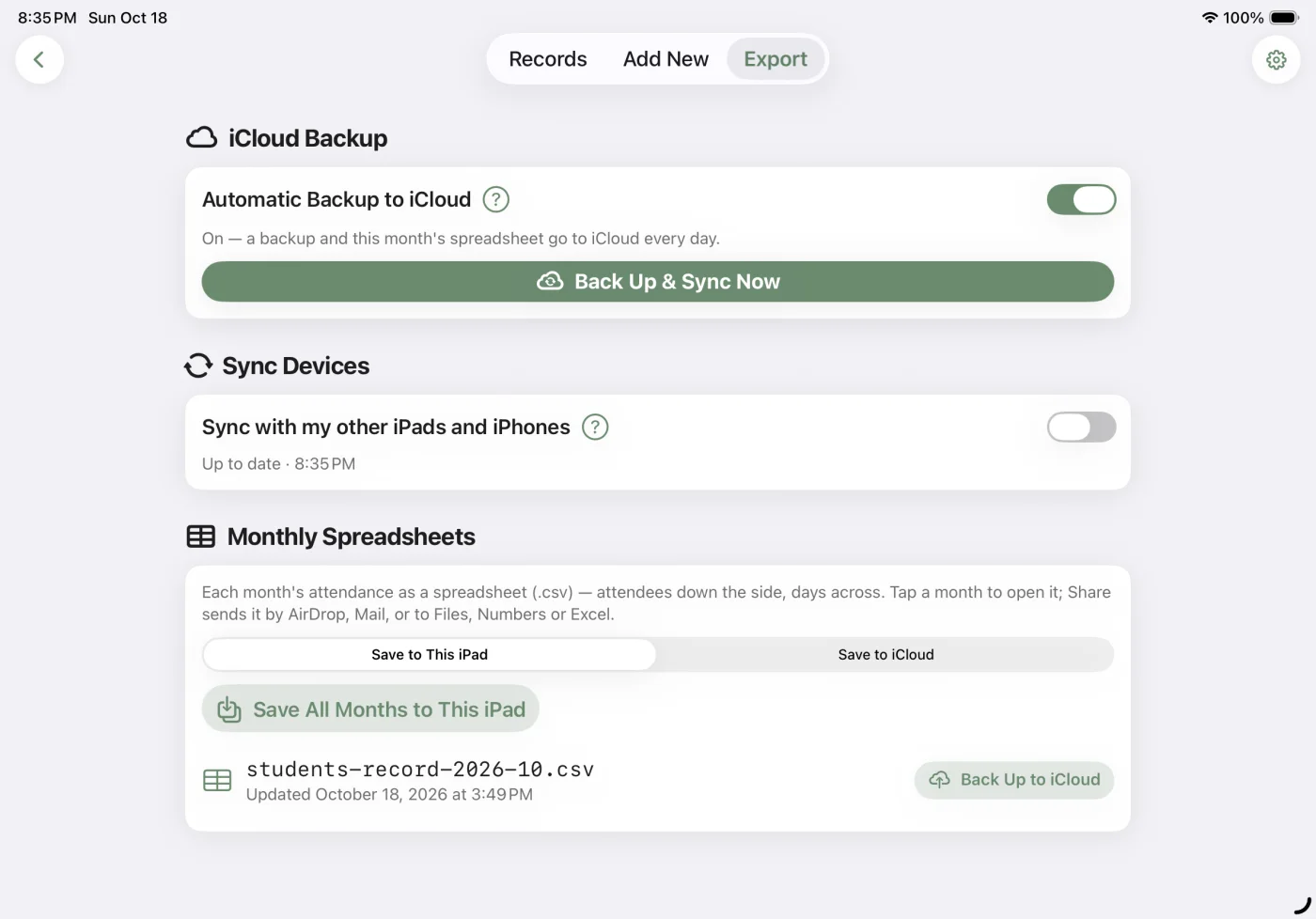
Backed up every day, in your own iCloud.
Nothing goes to a Matdo server, because there isn't one. Your records stay on your devices and in your iCloud.
- Automatic backup A daily copy in your iCloud, so a new iPad or iPhone can restore everything.
- Sync your devices One switch keeps your other iPads and iPhones in step.
- Monthly spreadsheets Every month as a .csv to share to Mail, Files, Numbers or Excel.
Step 6 of 6 · New in 1.3
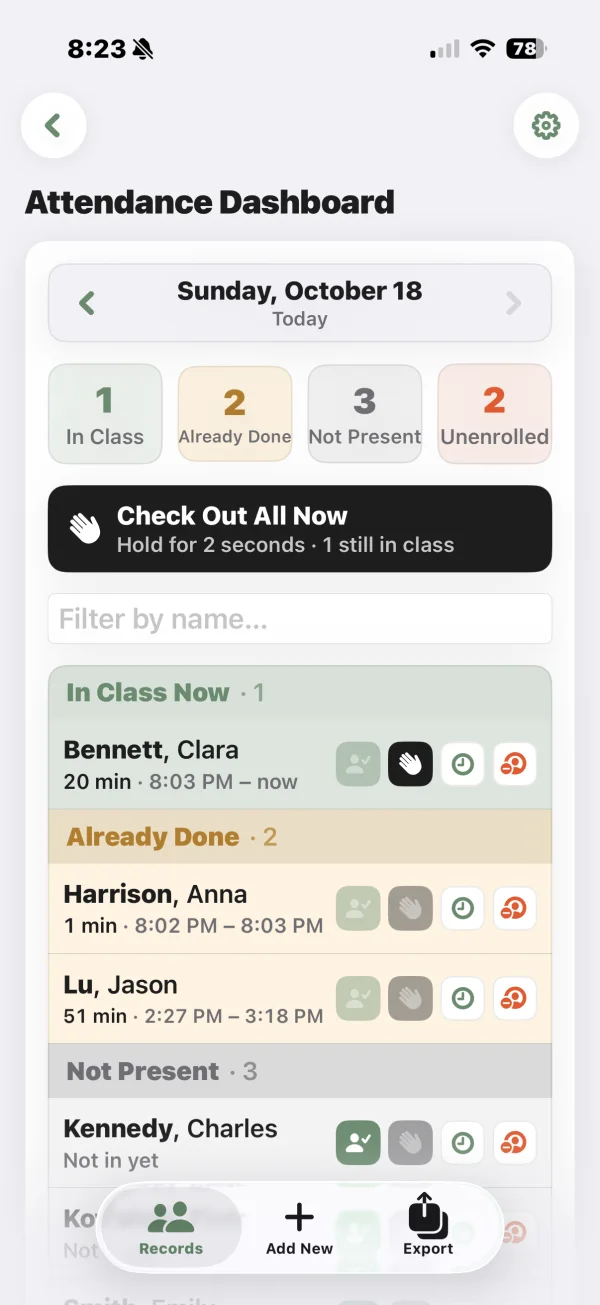
One center, on every iPad and iPhone.
Keep the kiosk on the counter and Records in your pocket. A check-in on one device shows up on the others within seconds.
- Checked in at the counter… Clara taps in on the front-desk iPad.
- …and on your iPhone Same records, every device, through your own iCloud.
- Invite your teachers A teacher on their own Apple ID joins by scanning an invite code. You can rename or remove any device.
Tutorial Videos
Step-by-step walk-throughs of how to use the app.
Getting started
Set up your device, protect access, and keep a backup.
At the front desk
A smooth arrival, a simple goodbye, and a tidy end to the day.
For your team
Keep your roster, attendance records, and exports in order.
Made for the places people gather to learn.

Tutoring centers
Test prep & enrichment

Sunday schools

After-school programs

Music & art studios

Clubs & sports

Summer camps

Homeschool co-ops
Affordable Pricing
We offer multiple tiers of pricing to meet your needs.
Free Trial
No card required. Nothing to cancel.
Monthly
Cancel anytime.
Yearly
Save 30% versus monthly.
Lifetime
Pay once. Yours to keep, forever.
Every plan includes
- Check-in, dashboard & CSV export
- Unlimited attendees and classes
- Every iPad and iPhone on your Apple Account
- Multiple Devices sync through your own iCloud
- Your data stays on your devices — always private
- Works offline, no accounts
- In English, Español, Português, 日本語, 한국어, 简体中文 and 繁體中文
One subscription or purchase covers every iPad and iPhone signed in to the same Apple Account. A teacher's device on their own Apple Account needs its own plan.
Start free — no card required. Download Matdo Check on the App Store.